

AI Copilot on Board for Some Agencies
Posted on October 26, 2026
We’re excited to share news about an artificial intelligence (AI) tool now available to some state employees and contractors at participating state agencies.
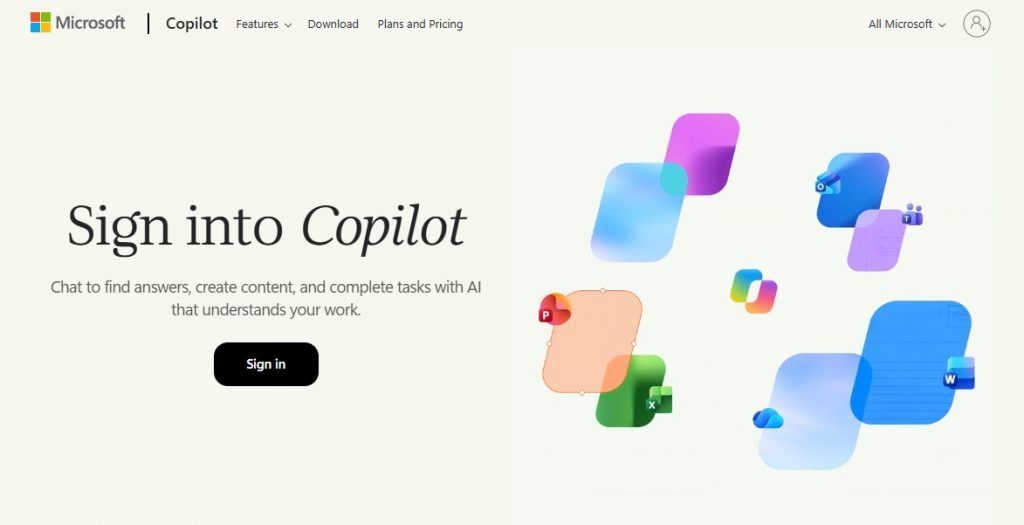
Copilot Chat is Microsoft 365’s Enterprise Generative AI Chat tool. Copilot Chat can help you organize applications you already use every day. It’s designed to streamline administrative tasks and assist with everyday workflows.
Security and Data Privacy
Unlike other AI apps, Copilot Chat is approved for use in official Delaware state projects.
Copilot Chat operates within the Microsoft 365 government cloud tenant. Your queries, prompts, and agency data remain strictly within the government environment-they are never shared externally, and they are not used to train foundation and large language models.
Be sure to check with your manager regarding the state’s Generative AI Policy, and state employees from participating agencies will need to complete a training session in the Delaware Learning Center before using Copilot Chat.
Please check with your manager about agency Copilot Chat availability.
How to Access Copilot Chat
Getting started is simple: you can access the Copilot Chat web hub directly by visiting m365.cloud.microsoft and signing in with your state credentials.

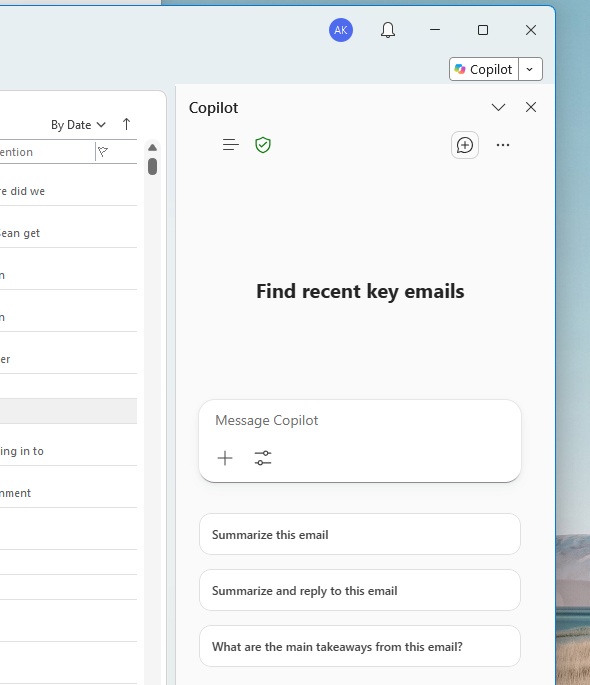
Always look for the green enterprise protection shield to confirm you’re using the correct product.
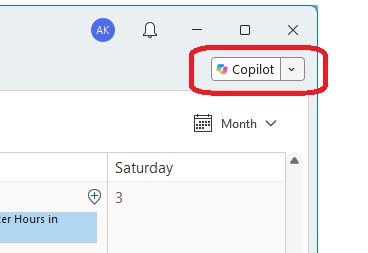
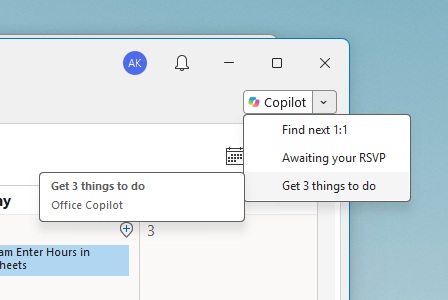
State employees will also notice that Copilot Chat has been integrated into their Microsoft Outlook user interface (UI) and can be accessed through a Copilot button at the top right of the dashboard.
Selecting the button with the Copilot icon will open a side menu with a field for your queries, along with a few suggested actions to consider.
You can also access suggestions by selecting the down arrow next to the Copilot button. These suggestions will vary depending on which function of Outlook you are using.
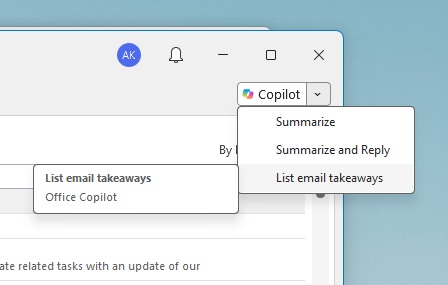
When using Inbox, Copilot can search, organize, and summarize your emails. You can pull out action items to make yourself a to-do list and draft well-structured replies with adjustable tone and length.
If you’re using your Office Calendar, the suggestions will be schedule-related.
Other Suggested Uses for Copilot Chat
Visiting the Copilot URL opens the homepage, with a prominent query field. You can also attach your work content like Word or PDF docs, Excel spreadsheets, or PowerPoint presentations and ask Copilot to evaluate, make recommendations, or even revisions.
Here are just a few suggestions for Copilot assistance:
- Draft and Refine in Word: Transform rough project notes, outlines, or agency reports into polished initial drafts, generate FAQs, or summarize extensive policy documents.
- Analyze Data Faster in Excel: Explore data sets using plain-language prompts to identify key trends, generate formulas, and build clear data visualizations without complex spreadsheet syntax.
- Create Presentations in PowerPoint: Turn existing Word documents or project briefs into cohesive slide presentations, complete with suggested layouts, talking points, and visual pacing.
How Often Can I Use Copilot Chat?
As often as you need to! The state’s contract with Microsoft allows for unlimited use of the desktop and MSOffice-integrated Copilot products.
Training Sessions & Resources
To help you get the most out of these tools, several learning pathways and live sessions are available for participating agencies:
- Live Training Webinars: Register for State Employee Copilot Overview Sessions or watch previously recorded sessions.
- Self-Paced Learning: Microsoft 365 Copilot Interactive Guides & Prompting Tips
- DTI Standards and Policies
Stay Updated
Receive the latest news from the GIC.