
Starting Fresh with Fewer Pages
Posted on May 5, 2026
When the Delaware Division of the Arts set out to update its website, the challenge wasn’t just strategic, it was the technical equivalent of cleaning out the attic before moving into a new house. With more than a decade of old content, hundreds of legacy pages, and only one person dedicated to the task, the path forward required a willingness to rethink everything.
The new website launched with just 122 pages, down from about 450 on the old site. The old site also had hundreds of PDFs that haven’t been brought over.
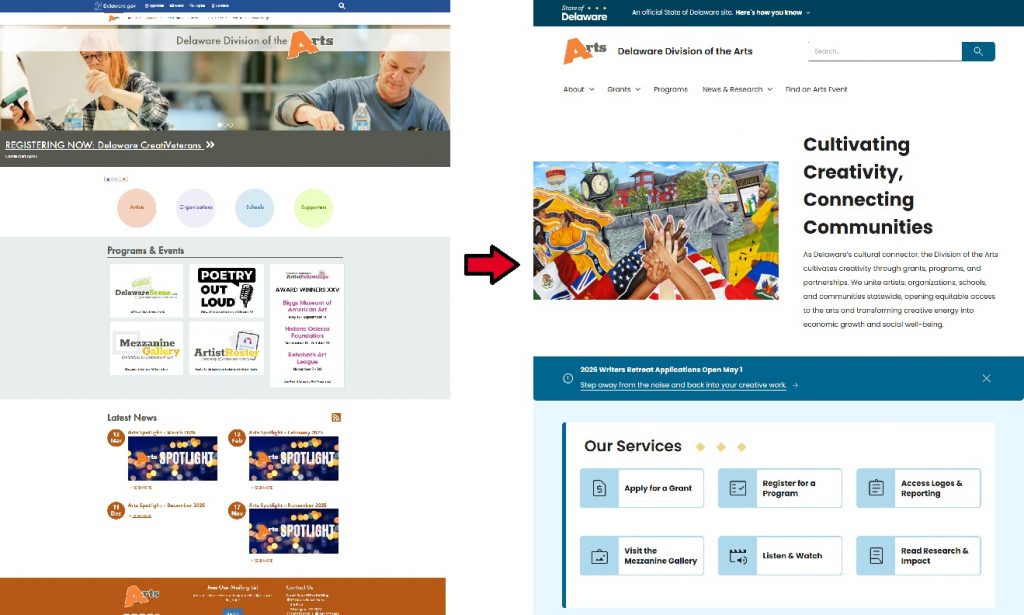
We spoke with Andrew Truscott, Marketing & Communications Program Officer for the Division of the Arts and asked about his experience upgrading to the Lighthouse Design System.
He shared some thoughts that will help any agency looking to clean up their website.

GIC:
So how is your team feeling about the new site?
Andrew:
The initial feedback has been that it looks so much cleaner, especially as we’ve adopted more white space. It provides a more direct experience to information for the public and for our grantees while reducing clicks dramatically.
GIC:
What was the process like, designing the new site?
Andrew:
This process allowed us to dial back what had become significant page creep. Over ten years, the website had grown to a size where we weren’t able to do ongoing page management, because we only have one person tasked with the website.
From scoping through launch, the project ran a little over a year, and it let us reevaluate the site map, reevaluate how we’re guiding visitors through the site, and clean up our media assets to be WCAG compliant in the process. Of that year, the bulk of our agency work was from February through the end of April – which involved adopting the new templates and flushing our pages out with content.
GIC:
What was the first step?
Andrew:
Sitting down as a team and building a site map of what the new site absolutely needs at a base level.
GIC:
Your previous website had hundreds of pages and hundreds of PDFs. How did you approach paring that down so dramatically?
Andrew:
The large majority of those pages, which is unique to us, were artist profiles for individuals who received awards or grants through specific programs.
The Individual Artist Fellowship, for example, supports between 15 and 20 artists a year, and we’re in year 26. Do the math and you’re looking at hundreds of artist profile pages.
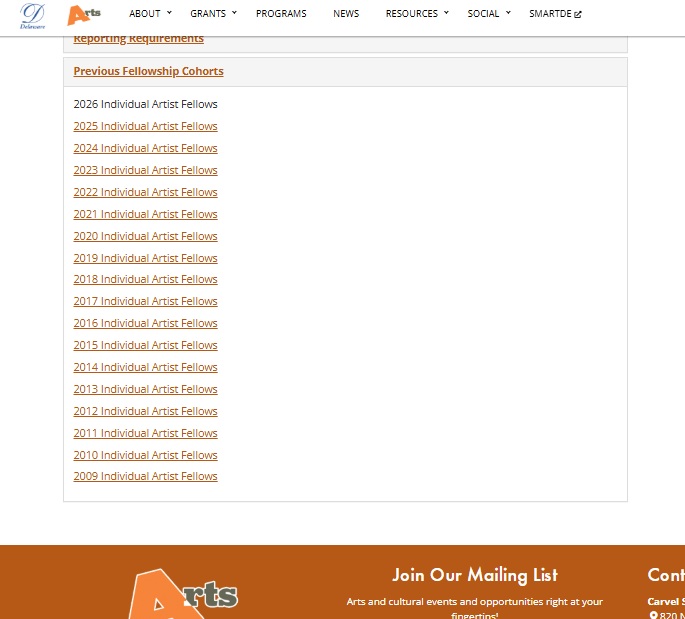
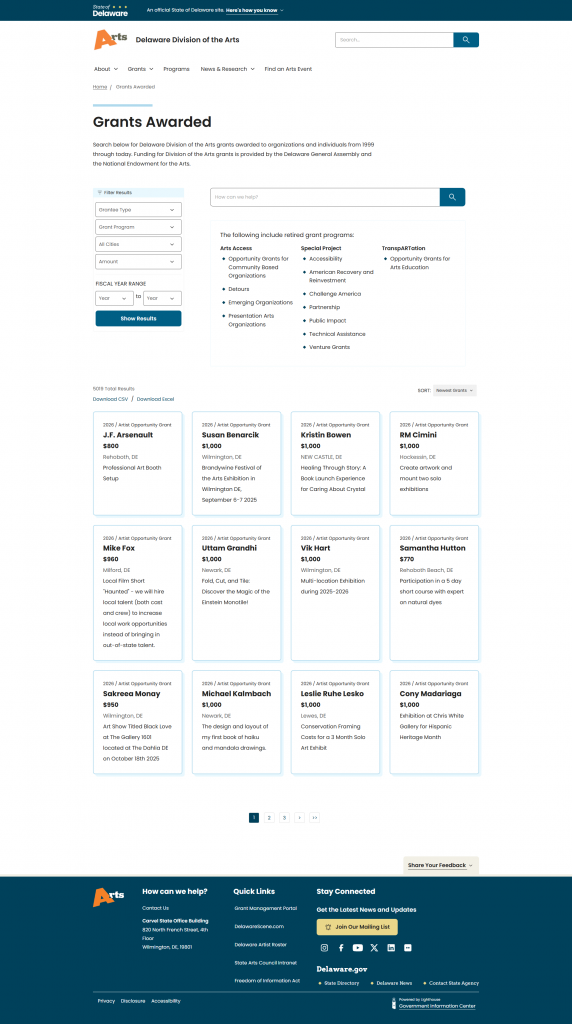
So we made the intentional decision to launch with what we need to operate as an agency, plus a year or two of history for some of these programs. After launch, we’ll go through and flush out the rest.
GIC:
So from that previous site, the new site has 122 pages [as of this posting] Has the launch of the new site led to any unexpected benefits?
Andrew:
One benefit has been a much easier archival process for our annual events. That dramatically cuts down coding time on historical blocks. Rather than creating a new archival page while simultaneously going back to the old page and refreshing it, the website is now set up with custom post types that make this a minimal effort task.
You create the page and the back end handles the rest. From our perspective, that saves hours of work. For repetitive programs like our weekly podcast, those pages now live in their own custom post types, which simplifies the back end primary page directory.
We also made the intentional decision to take things like our monthly e-newsletter and, rather than creating a separate post for each, simplify it into an archival page that links out to Constant Contact. That alone pulled almost 120 pages of content off the website.
GIC:
As far as archiving content, did you set as a cutoff point? Like, everything earlier than a certain date will get archived?
Andrew:
There wasn’t a fixed date so much as a question: is this information still relevant, or are we keeping it out of an instinct to hoard a historical archive?
A lot of our old posts weren’t tied into the new pages in any capacity. They would have lived as a historical archive that wasn’t WCAG compliant and still had old WordPress code in it. The reality is, remediating them would have taken more time than asking, do we really need this? If the answer is no, we deleted it.
In our case, the only content in the “retroactively launch” bucket is our fellowship profile pages. We’ll launch with this year’s fellows and add prior years over several months.
GIC:
Beyond your most important content, how did you prioritize
Andrew:
We asked, what can be done effectively and quickly? What can other staff be cross-trained on, where they can copy and paste information from the old site into the new one, while I’m handling the more technical work?
We also acknowledged that other projects are coming down the pike. We’re looking at translating our grant guidelines into multiple languages, so as we sought to comply with WCAG reformatting, we also realized that multilingual remediation over the coming year will be needed.
Over this period we had a few different projects layered on top of each other, but they all start at the same stage. As long as they’re built in a way that can be renewed or refreshed annually without going through the entire process from scratch, it saves us time.
GIC:
Any thoughts what communication is beneficial from a from a web editor perspective to share with agency staff who don’t necessarily work on the website?
Andrew:
The GIC blog has been instrumentally helpful in getting information to my team in a clear, direct way. It means I’m not gatekeeping. I can point to it and say, this is the expectation from a federal and state perspective, and all of us in some capacity need to be aware of it.
From the website side, I’ve been very transparent with my team about what the back end looks like now and what the new functionality and any ongoing limitations are, so people understand from the start what is and isn’t possible.
There’s also a political dimension that’s worth naming. When you’re cutting a website from hundreds of pages to a few hundred, you are going to have conversations with colleagues about why certain pages aren’t making the cut. The honest answer is usually that the page wasn’t being updated, wasn’t accessible, or wasn’t generating traffic. Framing it that way, as a question of stewardship rather than preference, has helped me navigate those conversations without it becoming personal.
GIC:
Some of our agency website editors are doing it by default, there’s no one else in the agency to do it. They don’t have technical expertise, and they don’t have a ton of time to devote to the website. Do you have any words of advice for them or anything that you wish you had known before you started, or a first thing to attack?
Andrew:
For someone looking at this daunting task and asking where to start: build a site map of what you think the agency needs. Pull in your team members so they have some level of buy-in, and so that you’re not building a site that misses a critical page or a piece of information.
Then set expectations with the team about the amount of time you need to do this. Identify whether you need outside help. Do you need to bring in a contractor or a part timer, either to do the work or to take other tasks off your plate so you can prioritize the website? We’re lucky that the federal ADA Title II web accessibility deadline was pushed back by a year, but it’s not an excuse to take our foot off the gas now.
GIC:
How has Lighthouse itself been to work with?
Andrew:
It’s, ironically, become more difficult for me to go backwards to the old site than it is to live in Lighthouse. That’s how easy it is, and I’m not trained in HTML. The functionality and ease of use is something I can train someone on, or get moving on myself.
One feature that’s really beneficial is the ability, in the left hand hamburger menu, to select everything on a page and copy and paste it as a template into new pages. You’re not rebuilding HTML code the way we’ve had to in previous platforms. Additionally, Lighthouse has page templates, but even before they’re formally set up, the ability to copy a page you’ve built and paste it into a new one saves half an hour in some cases.
Lastly, the way Lighthouse is set up makes it dramatically easier to provide a level of customization to a webpage that we didn’t have before.
GIC:
How will you judge whether the new site is a success?
Andrew:
As public servants, we have to be willing to listen to what the public tells us. At some point there will be a feedback portion of our launch, and I hope it’s all flowers and rainbows. If it isn’t, that helps us understand what we can do better as we iteratively adjust over time.
Beyond that, the real measures are quieter ones. Are grantees finding what they need without emailing us first? Are applicants completing the steps we’re guiding them toward? Is the team spending less time fielding “where do I find” questions and more time on the work that actually moves the agency forward? Those are the signals I’ll be watching.
The Division of the Arts’ journey is a reminder that modernizing a website isn’t about perfection at launch, it’s about building a foundation that works, scales, and improves over time.
Stay Updated
Receive the latest news from the GIC.